What Time Is It In London Right Now Explained With Precision

London’s clock ticks differently depending on whether the UK observes Greenwich Mean Time or British Summer Time, a dual-system puzzle that confuses travelers and businesses alike. At the heart of this lies GMT, the global time standard adopted in 1884 that revolutionized maritime navigation by standardizing time across nations. Yet for Londoners, the annual shift to BST—introduced in 1916 to conserve energy—means daylight stretches longer, but so does the complexity of scheduling international calls or flights.
The transition between GMT and BST, triggered by daylight saving adjustments, creates a recurring challenge for those relying on London’s time. From retailers adjusting opening hours to airlines synchronizing flight schedules, the shift demands precision. Meanwhile, misconceptions persist: many assume "GMT" remains constant, unaware that London’s clocks effectively run an hour ahead during BST. This duality underscores why understanding the mechanics of time zones is not just academic but a practical necessity in today’s interconnected world.
Understanding Time Zones: The Basics of Greenwich Mean Time (GMT) and British Summer Time (BST)
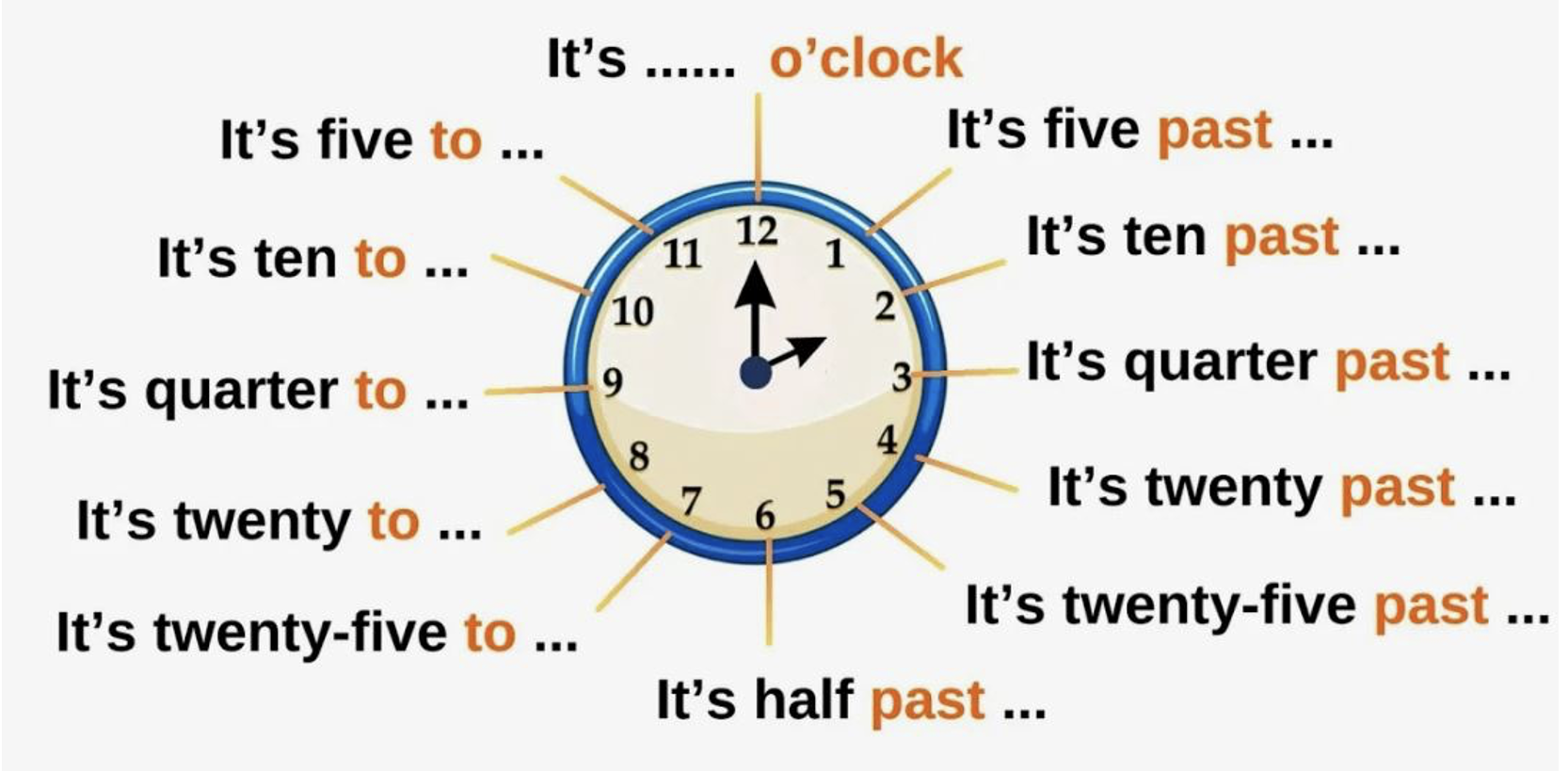
The concept of time zones has shaped global communication, trade, and travel for over a century. At the heart of this system lies Greenwich Mean Time (GMT), a standard adopted in 1884 that revolutionized how the world synchronizes time. While GMT remains the foundation for Coordinated Universal Time (UTC), its practical application in the United Kingdom extends to British Summer Time (BST), a seasonal adjustment introduced to optimize daylight usage. This system reflects a blend of historical necessity, scientific precision, and modern convenience, influencing everything from aviation schedules to retail hours. Below, we explore the origins, mechanics, and global implications of GMT and BST, clarifying their roles in both daily life and international coordination.
Historical Context and Significance of GMT in Global Timekeeping

The adoption of Greenwich Mean Time (GMT) in 1884 during the International Meridian Conference marked a pivotal moment in global time standardization. Before this, local solar time—determined by the sun’s position—varied dramatically across regions, creating chaos in rail travel and maritime navigation. The conference, held in Washington, D.C., established GMT as the prime meridian reference (0° longitude), serving as the baseline for all other time zones. This decision was not arbitrary; the Royal Observatory in Greenwich, London, had long been the world’s leading authority on celestial navigation, making its meridian the logical choice.
GMT’s significance lies in its scientific foundation. Unlike arbitrary time zones, GMT was calculated using the mean solar time at the Greenwich meridian, averaging the irregularities of Earth’s rotation. This precision was critical for astronomical observations and longitudinal calculations, ensuring ships and explorers could accurately determine their positions at sea. The Nautical Almanac, first published in 1835, further cemented GMT’s role by providing standardized tables for celestial navigation, used by mariners worldwide.
By the late 19th century, the railway networks in the UK and Europe adopted GMT to synchronize schedules, reducing delays caused by conflicting local times. The Great Western Railway, for instance, pushed for GMT adoption in 1840, arguing that a unified time system would streamline operations. This practical necessity extended globally, with GMT becoming the de facto standard for telegraphy and later, radio communications, as signals required a consistent reference point.
Table of Contents
- Understanding Time Zones: The Basics of Greenwich Mean Time (GMT) and British Summer Time (BST)
- Historical Context and Significance of GMT in Global Timekeeping
- GMT as the Foundation for UTC and Its Relevance to London’s Time Zone
- Key Events Leading to the Adoption of British Summer Time (BST)
- Comparison Table: GMT vs. BST Throughout the Year
- Practical Implications of BST for Businesses, Travel, and Daily Life
- How to Check the Current Time in London: Practical Methods and Tools
- Using Google Search for Instant London Time Lookup
- Smartphone Apps for Real-Time London Time Tracking
- World Clock Widgets for Desktop and Mobile Devices
- Evaluating Online Tools for London Time Accuracy
GMT as the Foundation for UTC and Its Relevance to London’s Time Zone
While GMT remains iconic, its modern counterpart, Coordinated Universal Time (UTC), serves as the global standard for timekeeping. UTC is derived from International Atomic Time (TAI), which is based on atomic clocks rather than Earth’s rotation. However, GMT’s legacy persists because UTC is essentially GMT without leap seconds, adjusted for the slight irregularities in Earth’s rotational speed.
The relationship between GMT and UTC is as follows: - GMT is a time zone (UTC+0) that observes standard time without daylight saving adjustments. - UTC is the atomic time standard that GMT approximates, with occasional leap seconds added to account for Earth’s deceleration due to tidal forces.
In London, the colloquial use of "GMT" often persists, even during British Summer Time (BST), when clocks are advanced by one hour (UTC+1). This persists due to cultural inertia and the UK’s historical association with Greenwich. However, technically: - GMT (UTC+0) applies from late October to late March. - BST (UTC+1) applies from late March to late October.
This distinction is crucial for global coordination, particularly in industries like finance, aviation, and broadcasting, where precise timekeeping is essential. For example, London Stock Exchange (LSE) trading hours (08:00–16:30 GMT/BST) must account for this shift to align with international markets.
Key Events Leading to the Adoption of British Summer Time (BST)
The concept of daylight saving time (DST) emerged independently in several countries during the early 20th century, primarily to conserve energy by extending evening daylight. The UK’s adoption of British Summer Time (BST) was driven by both energy efficiency and agricultural productivity. Below is a timeline of critical events:
- 1907: William Willett, a British builder and inventor, proposed the idea of advancing clocks by 20 minutes every Sunday in April and reversing the process in September. His pamphlet, "The Waste of Daylight", argued that longer evenings would boost commerce and leisure. - 1911: The British Parliament considered Willett’s proposal but rejected it due to opposition from farmers and businesses concerned about disruptions. - 1916: During World War I, Germany and Austria-Hungary adopted daylight saving to reduce coal consumption for artificial lighting. The UK followed suit on May 21, 1916, advancing clocks by 100 minutes (not 20 minutes per week, as Willett originally suggested). - 1925: BST was abolished after the war due to public resistance, but reintroduced in 1940 during World War II to support wartime efforts. - 1968: The Chronology Act formalized BST as British Summer Time, aligning with the EU’s daylight saving directives. - 1973: The Energy Act extended BST to October (from July) to maximize daylight savings during the oil crisis. - 2001: The EU Directive 2000/84/EC standardized DST across member states, setting last Sunday in March (start) and last Sunday in October (end) as fixed dates for BST adoption in the UK.
Despite EU harmonization, the UK has repeatedly debated abolishing BST, with polls showing mixed public opinion. In 2018, the UK government launched a public consultation on ending the practice, but no decisive action has been taken as of 2024.
Comparison Table: GMT vs. BST Throughout the Year
Understanding the practical differences between GMT and BST is essential for travelers, businesses, and individuals coordinating across time zones. Below is a seasonal breakdown of how London’s time shifts:
| Time Zone | Clock Time in London | UTC Offset |
|---|---|---|
| Greenwich Mean Time (GMT) | Late October – Late March | UTC+0 |
| British Summer Time (BST) | Late March – Late October | UTC+1 |
Key Observations: - During GMT (winter), London aligns with UTC+0, meaning it is 5 hours ahead of New York (EST) and 8 hours behind Sydney (AEST). - During BST (summer), London moves to UTC+1, making it 4 hours ahead of New York (EDT) and 9 hours behind Sydney (AEDT). - The shift occurs at 1:00 AM GMT on the last Sunday of March (BST starts) and 1:00 AM BST on the last Sunday of October (GMT resumes).
Practical Implications of BST for Businesses, Travel, and Daily Life
The transition between GMT and BST has far-reaching consequences across various sectors, influencing everything from flight schedules to retail trading hours. Below are key industries and scenarios affected by BST:
Aviation and Transportation - Airlines must adjust departure/arrival times to account for the one-hour shift, particularly for transatlantic flights. - Heathrow and Gatwick airports coordinate with global hubs (e.g., JFK, Dubai) to ensure seamless connections during transitions. - Train operators like Network Rail modify timetables to prevent delays, especially during the clock-change weekend.
Retail and Hospitality - Shops and restaurants often extend evening opening hours during BST to capitalize on longer daylight. - Black Friday sales (held in November) benefit from BST, as consumers have more daylight for shopping. - Pub and restaurant licensing laws in the UK historically tied to BST, allowing later trading hours in summer.
Energy and Utilities - The original purpose of BST—energy conservation—still holds relevance. Studies suggest BST reduces evening electricity demand by up to 1%. - National Grid monitors energy usage patterns during transitions to balance supply and demand.
Health and Well-being - Research indicates that clock changes can disrupt sleep patterns, leading to
How to Check the Current Time in London: Practical Methods and Tools
Accurate timekeeping is essential for coordinating international calls, scheduling meetings, or simply staying informed about time differences. London, which observes Greenwich Mean Time (GMT) during standard hours and British Summer Time (BST, UTC+1) from late March to late October, requires reliable methods to track its current time. This section explores practical tools—ranging from digital assistants to programming commands—and evaluates their accuracy, ease of use, and suitability for different needs. Whether you rely on quick searches, dedicated apps, or automated systems, understanding these methods ensures seamless access to London’s time without manual adjustments.
Using Google Search for Instant London Time Lookup
Google’s search engine provides an effortless way to check the current time in London without installing additional tools. The process involves a simple query and interpretation of results, which also include UTC conversion for verification.
Step-by-Step Guide: 1. Open a Web Browser: Launch Chrome, Firefox, Safari, or any preferred browser. 2. Enter the Query: Type "What time is it in London" into the search bar and press Enter. 3. Interpret Results: - Google displays the current time in London alongside the local time zone (GMT or BST, depending on the date). - Below the time, a "Time in London" box appears, showing the exact hour, minute, and second, along with the time zone abbreviation (e.g., GMT+0 or GMT+1). - Clicking the "Time in London" box expands it to show additional details, including the UTC offset, daylight saving status, and a map pinpointing London’s location. 4. Verify with UTC: - To cross-check accuracy, note the UTC offset (e.g., +0 for GMT or +1 for BST) and compare it with the UTC time displayed in the search results. - Example: If Google shows 15:30 BST (UTC+1), subtract 1 hour from the UTC time to confirm consistency.
Limitations and Troubleshooting: - Automatic BST Adjustments: Google’s search results automatically adjust for BST transitions, eliminating manual updates. - Potential Delays: In rare cases, search results may lag by a few seconds due to server processing. Refreshing the page resolves this. - Language Settings: Ensure your browser’s language is set to English for accurate time zone labels (e.g., avoiding localized abbreviations like "MESZ" for Central European Summer Time).
Smartphone Apps for Real-Time London Time Tracking
Smartphones offer versatile apps to monitor London’s time with minimal effort. Below are detailed walkthroughs for popular options, including settings for automatic updates and cross-platform compatibility.
Google Maps and Apple Maps Both mapping apps display time zones for locations when searching or navigating. Here’s how to use them:
1. Google Maps: - Open the app and search for "London, UK". - Below the search bar, the current time in London appears (e.g., 16:45 BST). - Tap the time to see the UTC offset and a "Set as home time" option (useful for travelers). - Automatic Updates: Enable "Location" and "Time Zone" permissions in device settings to ensure real-time accuracy.
2. Apple Maps: - Search for "London" and tap the location card. - The time displays at the top (e.g., 4:30 PM BST). - Automatic Sync: iOS devices sync time zones automatically if "Set Automatically" is enabled in Settings > General > Date & Time.
Dedicated Time Zone Apps: Time Zone Converter For users needing granular control, apps like Time Zone Converter (available on iOS and Android) offer customizable features:
1. Installation and Setup: - Download from the App Store or Google Play Store. - Open the app and add "London" as a custom location by tapping the + icon. 2. Customization: - Enable "Automatic DST (Daylight Saving Time) Adjustment" to handle BST transitions. - Set "Home Time" to London for quick access from the home screen. 3. Widget Integration: - Add the app’s widget to your home screen (Android/iOS) for a live time display without opening the app.
Settings for Automatic Updates: - Android: Ensure "Automatic date & time" is enabled in Settings > System > Date & Time. - iOS: Go to Settings > General > Date & Time and toggle "Set Automatically" to ON.
World Clock Widgets for Desktop and Mobile Devices
World clock widgets provide a persistent display of London’s time alongside local time, ideal for multitasking. Below are platform-specific guides with described screenshot steps.
Windows 10/11: Adding a World Clock Widget 1. Access Widgets: - Right-click the taskbar and select "Widgets" (Windows 11) or "News and interests" (Windows 10). - Click "Add widgets" and search for "World clock". 2. Configure London’s Time: - Click the + icon in the widget and select "London, UK". - The widget now shows local time + London time with a time difference indicator (e.g., -5 hours if BST is active). 3. Automatic Updates: - Ensure "Set time automatically" is enabled in Settings > Time & language > Date & time.
macOS: Using the Digital Clock Widget 1. Open Widgets: - Click the "Today" view in the Notification Center (or swipe left from the clock in the menu bar). - Scroll to "Clock" and tap "Edit" to add a world clock. 2. Add London: - Click "Add Clock" and search for "London". - The widget displays local time + London time with a time zone abbreviation. 3. Sync Settings: - Go to System Preferences > Date & Time and enable "Set date and time automatically".
Android: Digital Wellbeing Clock Widget 1. Add Widget: - Long-press on the home screen and select "Widgets" > "Clock". - Choose "Digital" and enable "World clock" in the widget settings. 2. Customize Locations: - Tap the three-dot menu in the widget and add "London" under World clocks. - The widget shows local time + London time with a time difference.
iOS: Today Widget for World Clock 1. Access Widgets: - Swipe right to open the Today View and tap "Edit". - Tap the + icon and search for "World Clock". 2. Add London: - Select "World Clock" and tap "Add Location". - Search for "London" and save. - The widget now displays local time + London time with a time zone offset.
Evaluating Online Tools for London Time Accuracy
Online platforms like timeanddate.com, worldtimeapi.org, and time.gov offer robust solutions for checking London’s time programmatically or via web interfaces. Below is a comparison of their features, reliability, and limitations.
Key Tools and Their Functionality:
| Tool/Method | Ease of Use | Accuracy | Best For |
|---|---|---|---|
| Google Search | High (1-step query) | Very High (real-time, UTC-verified) | Quick lookups, no installation |
| timeanddate.com | High (interactive world clock) | Very High (manual BST adjustments) | Travelers, detailed time zone info |
| worldtimeapi.org | Medium (API-based) | Very High (automated BST transitions) | Developers, automated systems |
| time.gov (NIST) | Medium (technical interface) | Extremely High (atomic clock sync) | High-precision applications |
| Google Maps/Apple Maps | High (built-in) | High (depends on device sync) | Users already using mapping apps |
| Time Zone Converter App | High (customizable) | High (manual DST overrides possible) | Frequent time zone switchers |
| Command-Line Tools | Low (technical knowledge required) | High (depends on system sync) | Developers, sysadmins |
Detailed Analysis: - timeanddate.com: - Offers an interactive world clock with a countdown to BST transitions. - Users can manually override DST settings if automatic adjustments fail. - Limitations: Ads may appear in free versions; occasional lag during peak traffic.
- worldtimeapi.org: - Provides a free API (`http://worldtimeapi.org/api
Navigating London’s time requires more than glancing at a clock—it demands awareness of GMT’s global role, BST’s seasonal adjustments, and the tools that bridge the gap between local time and international standards. Whether through smartphone apps, command-line commands, or embedded web widgets, the methods to track London’s time are as varied as they are reliable. Yet the core lesson remains: time in London is never static, and mastering its nuances ensures seamless coordination in an era where every second counts across borders and industries.
Leave a Comment
Comments are moderated before appearing. The data you submit is processed according to the Privacy Policy of Inhonorofdesign.